![[ image: nothing]](../furniture/nothing.gif)

|
|
|
GENERAL |
|
Front Page |
|
 Pipedream |
|
|
|
|
Z88 |
|
 |
|
Z88 |
|
Hardware |
|
 Spares Spares |
|
Software |
|
Shows |
|
Programmer's Section |
|
Quick Guide |
|
Reviews |
|
GDPR |
|
Help & FAQ |
|
Z88 2nd User Section |
|
|
|
|
EXTRA |
|
Site map |
|
| Feedback Help |
|
|
|
 |
|
|
ARCHIVE SECTION |
|
|
GENERAL |
|
Adverts |
|
BBC BASIC |
|
Books |
|
Computer Fairs |
|
Flying Page |
|
PC |
|
|
|
|
NEWS |
|
Mailshot Promotions |
|
PC Newsletter |
|
 |
|
|
|
|
Z88 |
|
Z88 |
|
Hardware |
|
Software |
|
|
|
Friday, 23-Oct-2026 15:10:46 BST
Z88 Hardware
Printers & Z88 Cables |
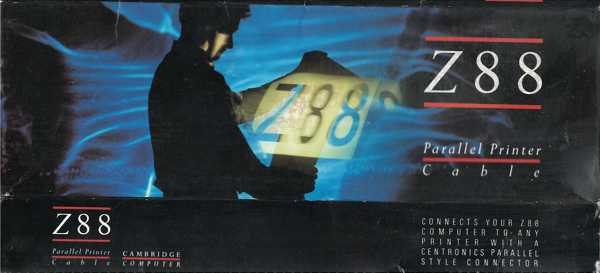
Instructions on how to use the Z88 Serial & Parallel Printer cables(pdf format) |
|
|
|
|
|
||
|
22 November 2010 Connectivity Interfaces
Printer Control Language
Emulations For further information on ESC/P see http://en.wikipedia. You cannot use Hi-Speed USB (2.0 compatible) or Windows only printers in this configuration. See the separate "Windows only Printers" section for further details. |
|
|
|
|
|
|
|
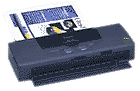
In July 2000, these printers for example, the Canon BJC 50 (above £275) and the BJC 85 (below £230) both emulate Canon Ex Mode. Prices correct July 2000. |
They needed a Z88 Parallel Printer Cable and BJC Driver to get them working with the Z88. |
|


 |
| |
||
| Using the PC to print | ||
|
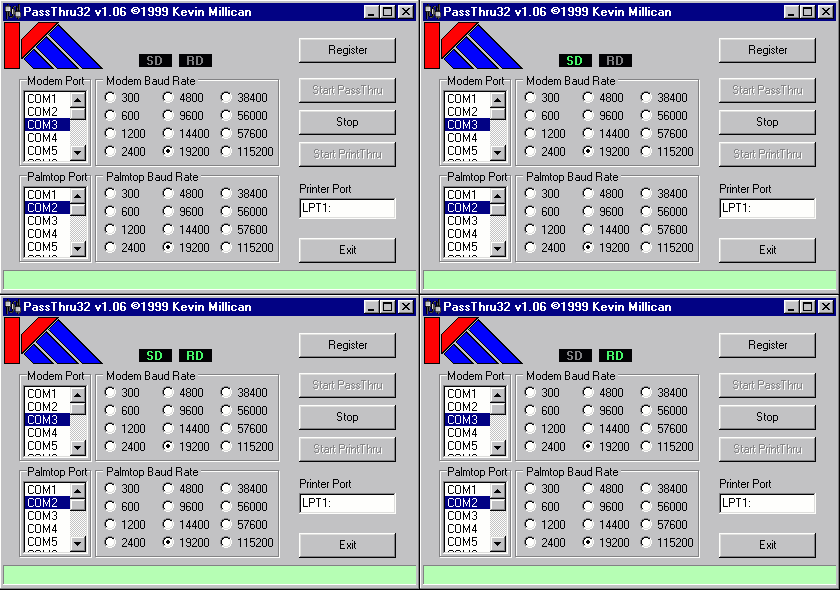
If you already have the link from the Z88 to your PC and a printer connected to your PC, you can print from your Z88 now. Download this program, set it to 9600 baud on the Palmtop port together with which COM port your Z88 is plugged into and print away. |
||
|
Z88 Hardware
| Description | Price | VAT | Total |
|---|---|---|---|
| Cable - Printer (Parallel) | £34.00 | £6.80 | £40.80 |
| Cable - Printer (Serial) | £5.00 | £1.00 | £6.00 |
| Z88 Dummy EPROM Case (Erase DIL EPROMS Using The Z88 ERASER) |
£8.29 |
£1.66 |
£9.95 |
| Card Case |
£8.66 |
£1.33 |
£10.00 |
| PCB
(Blank) |
£7.00 | £1.40 | £8.40 |
| Carrying case | NONE LEFT |
||
| Flash EPROM (1M) | £45.83 | £9.17 | £55.00 |
|
|
£15.00 |
£3.00 |
£18.00 |
|
Flash EPROM (512K) / 512K RAM |
£49.17 | £9.83 | £59.00 |
| EPROM
Card (32K) |
£16.67 |
£3.33 |
£20.00 |
| EPROM Eraser | NONE LEFT | ||
| EPROM Card (128K) | £25.00 | £5.00 | £30.00 |
| EPROM Card (256K) | £49.17 | £9.83 | £59.00 |
| Rubber Keyboard Mat NO UK Version LEFT only foreign. |
£25.00 |
£5.00 |
£30.00 |
| Keyboard
Membrane |
£20.83 |
£4.16 |
£25.00 |
| Mains Adapter (220v) | £8.95 | £1.79 | £10.74 |
| Modem 300/1200-software & cable |
NONE LEFT |
||
| Modem Cable? |
£10.00 | £2.00 | £12.00 |
| Power Supply (90-264v) |
NONE LEFT |
||
| RAM
pack (1M) (low power) |
£49.16 |
£9.84 |
£59.00 |
| RAM pack (1M) (CC) |
£40.83 | £8.17 | £49.00 |
| RAM pack (512K) | £37.50 | £7.50 | £45.00 |
| RAM pack (128K) | £20.83 | £4.17 | £25.00 |
| Cambridge Topper - Heavy Duty Version |
NONE LEFT |
||
|
|
|||||||
![[Click here to send e-mail for real-time pricing]](../images/click_prices_328.gif) |
|||||||
 | ![[ Top of Page ]](../images/top_of_page.gif) |

|
|||||
 ![[ Front Page ]](../images/home1.gif) |
![[ BBC BASIC ]](../images/bbc_basic.jpg) |
![[ Z88 Section ]](../images/z88.gif) |
![[ PC Section ]](../images/pc.gif) |
||||
| ©
[Rakewell Limited 1998 - Sep 2025] Rakewell 2025 - ? |
|||||||
|
 |
| Click here to search on this site |
|
|
|
|
| Web Highlights | ||
| BBC BASIC for Windows | ||
| Flight Page | ||
| Z88 Section | ||
| Adverts Section | ||
![[ new ]](../furniture/updated.gif) Jamie's 2020 Review |
||
|
||
|
|



|
||
|
DOS to WINDOWS Printer Drivers See Windows only
Printers about these applications.
Rakewell Limited is not responsible for the content of these internet sites. |
||
|
||



|
|
||
| We
ship to other countries - USA - Hong Kong - Europe See Price list page for details. |
||
|
||
|
||
|
Vic Gerhardi Banking Details
|
||
|
||

|
|
|||||||
